Why Model?
A model is a simplified, precise description of a system that a computer can work with. Testing a self-driving car in a blizzard, or a factory line that has not been built yet, is dangerous, slow, or impossible in real life. With a model, it is a simulation run.
Specify
Say exactly what the system must do
Simulate
Try it out safely on a computer
Analyze
Prove properties such as safety and stability
Build
Generate real code directly from the model
Modeling in the News
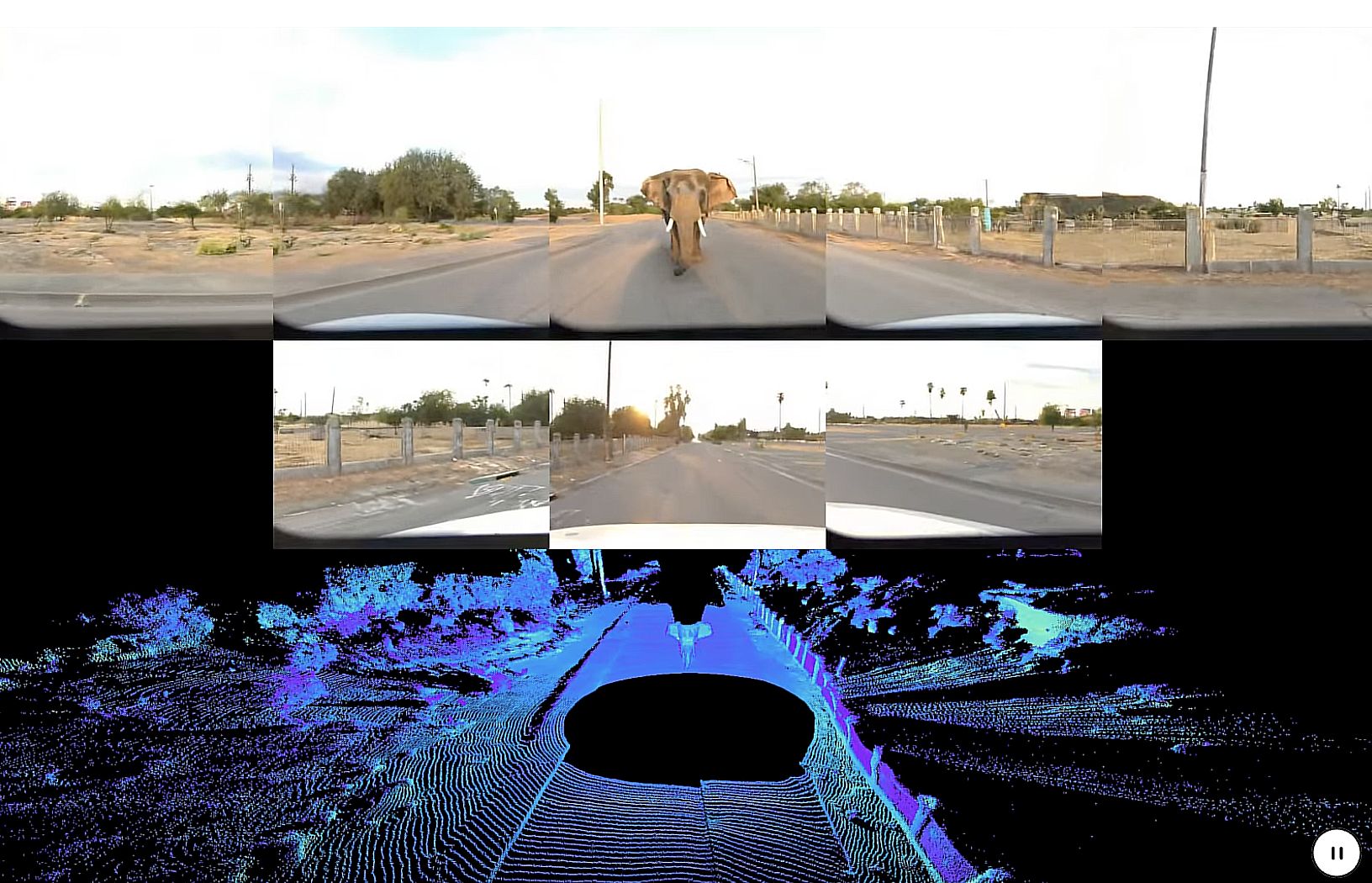
Driving through simulated worlds
Waymo's World Model generates realistic camera and lidar views of rare events, such as tornadoes, floods, and an elephant in the road, so its cars can practice situations they may never see in real life.
Waymo, February 2026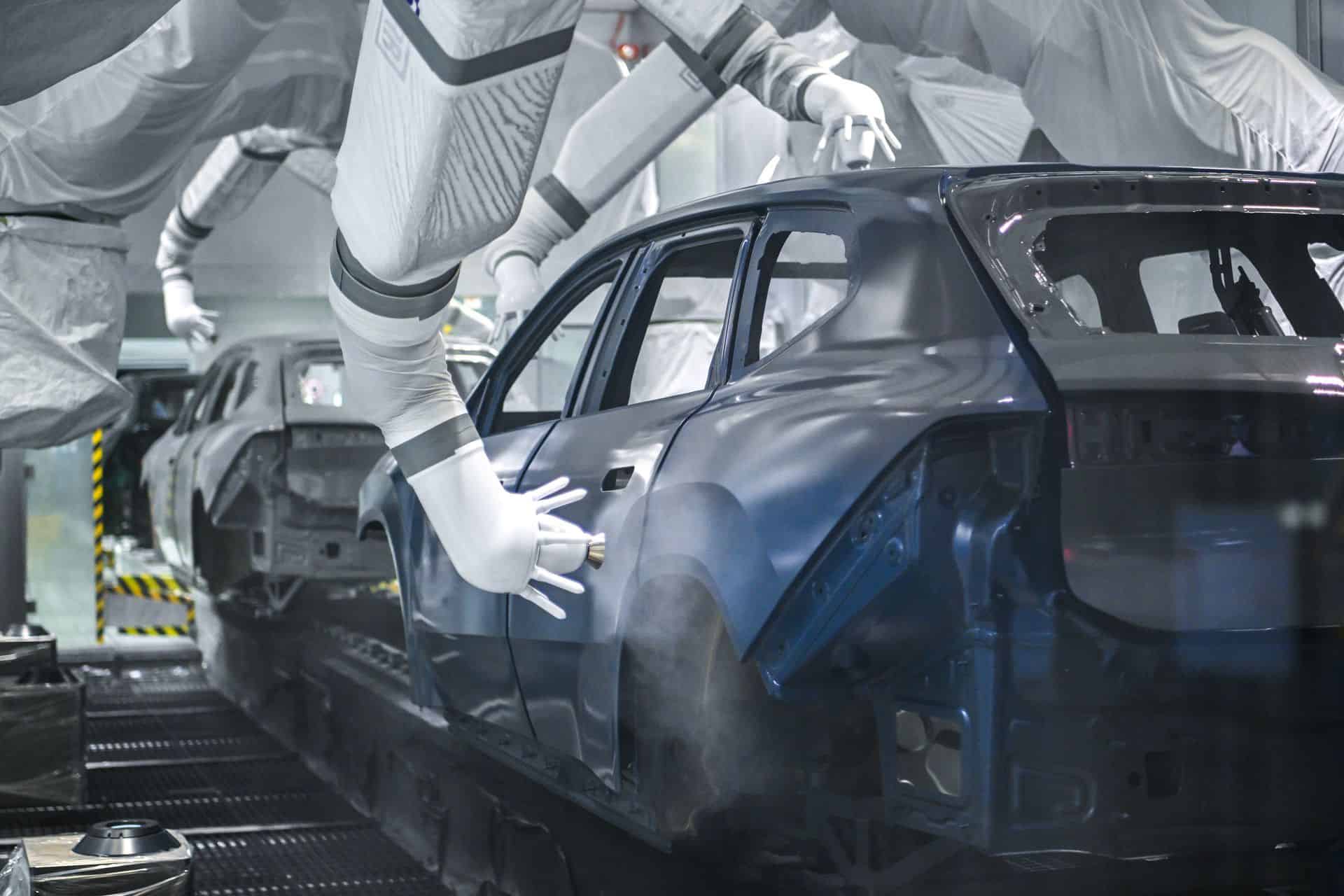
A factory built twice
BMW planned its Debrecen, Hungary plant as a complete digital twin. Engineers around the world worked out layouts, robots, and material flow virtually before the first real machine was installed.
BMWBLOG, September 2025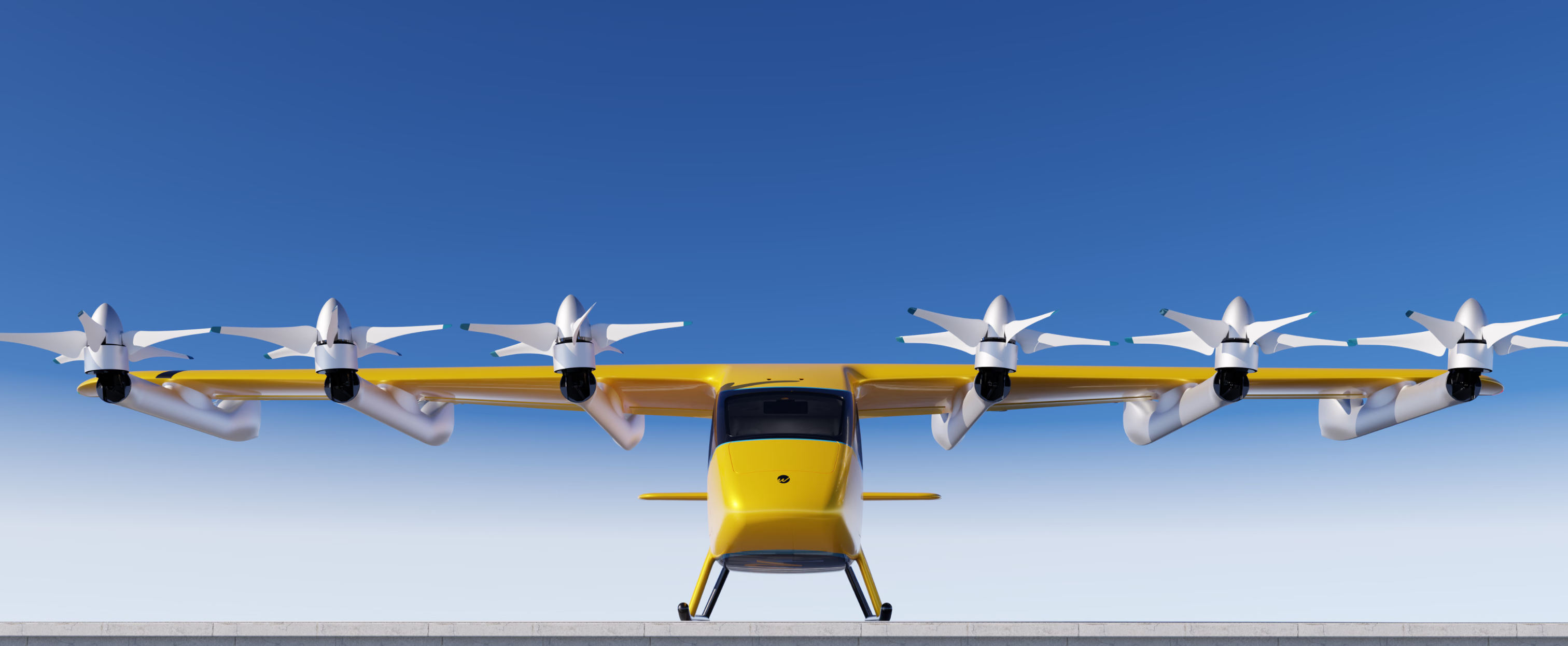
An aircraft that never flies
Wisk's "Iron Bird" is a ground rig that reproduces its self-flying air taxi's core systems, so real components can be tested together, and failures tried safely, before they go on an aircraft.
Wisk, September 2025Testing Step by Step
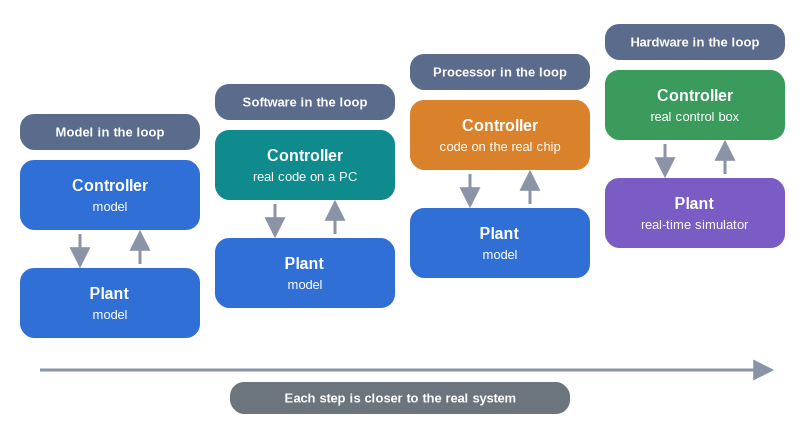
In model-based design, the model is the starting point, and real parts replace it one at a time. Each step tests a little more of the real system. When something breaks, engineers know it was the part they just swapped in.
Two Kinds of Change
Smooth change: the physical world
Speed, temperature, and position change smoothly over time. Engineers describe them with differential equations, which are rules for how fast each quantity is changing right now.
Sudden jumps: software
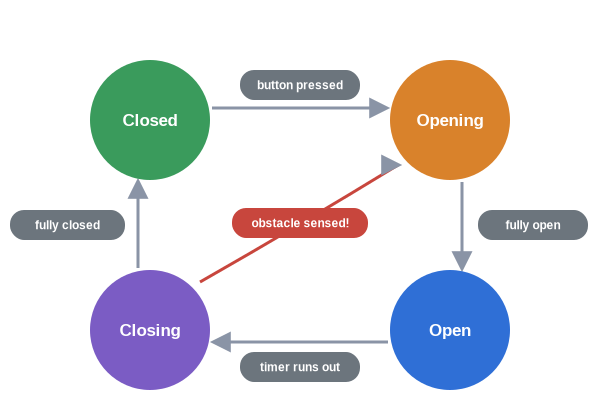
Software switches between distinct situations, or states, when something happens. Engineers describe this with state machines: circles for states and arrows for the events that move between them.
Hybrid Systems: Both at Once
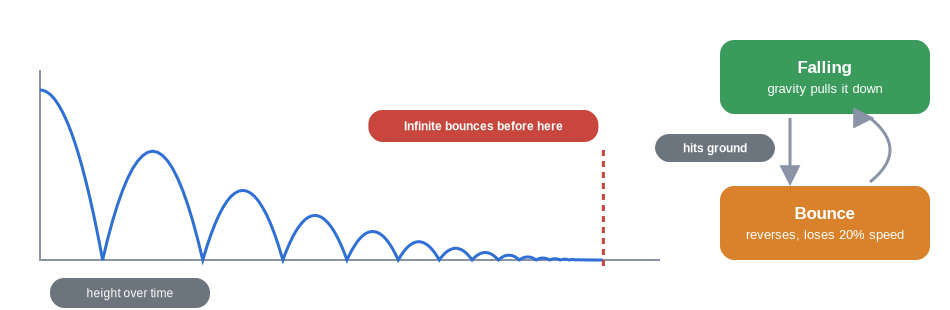
Most CPS mix smooth change and sudden jumps: a car shifting gears, a robot touching a part, a thermostat switching the heat on. A model with both is called a hybrid system.
Putting the Pieces Together
Real systems are built from many parts, each with its own states. When parts are combined, their states multiply. This is called state explosion, and it is why testing alone can never check every possibility in a large system.
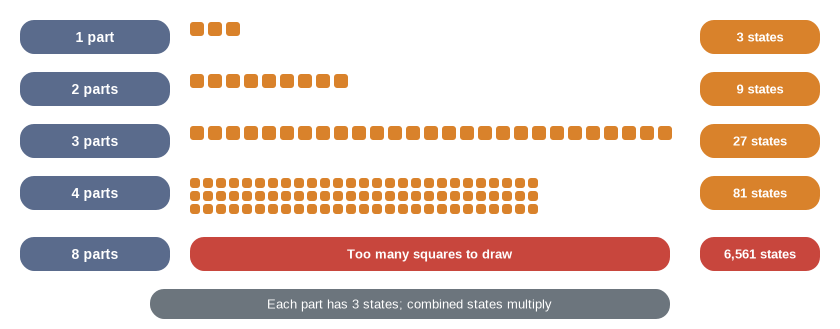
Special techniques can check enormous numbers of states without visiting each one. See Formal Methods for Verification and Validation.
Digital Twins
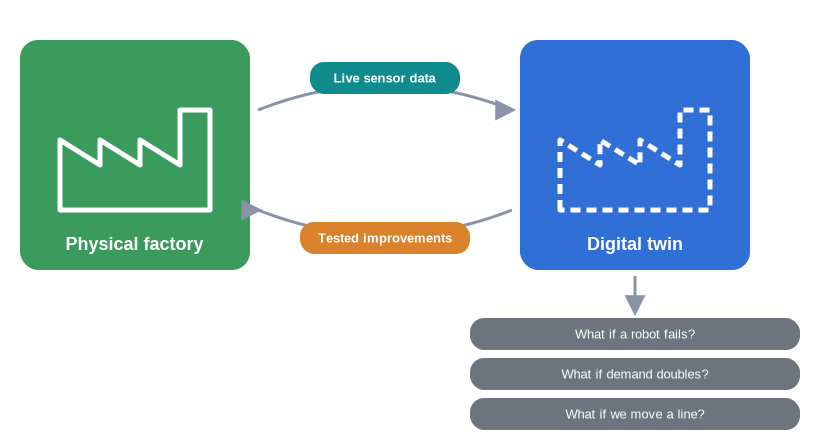
A design model describes how a system should behave. A digital twin follows one real system as it runs, fed by live sensor data, so engineers can watch it, predict problems, and test changes on the twin before touching the real thing.
Common Modeling Languages and Standards
| Modelica | Describes physical systems (electrical, mechanical, thermal) by connecting parts like real components. |
| FMI | A standard "plug" that lets models built in different tools run together. Used by more than 290 tools. |
| SysML v2 | A blueprint language for whole systems: requirements, parts, and behavior. Version 2 was approved in July 2025. |
| Simulink and Stateflow | Widely used commercial tools for block-diagram and state-machine models in automotive and aerospace. |
Try It Yourself
OMWebbook
Run and change Modelica models of circuits, tanks, and mechanical systems in your browser.
omwebbook.openmodelica.orgOpenModelica
A free desktop tool for building and simulating physical models by dragging and connecting components.
openmodelica.orgCARLA Simulator
An open-source driving simulator for testing self-driving software in virtual cities and weather.
carla.orgFMI Tutorial
For developers: run standard model packages (FMUs) from the command line with the official fmusim tool.
fmusim tutorialSysML v2
For advanced learners: example models, introductory slides, and a Jupyter notebook kernel for writing SysML v2.
SysML v2 release